Plan the week, let people clock in on their own phones, see what they actually worked against what you planned, and run the pay week off the punches. One app, one number at the end of it.
60 days, because a fortnight cannot show you a finished pay week.
Each screen hands to the next. Nothing is typed in twice.
Drag the week together from shift patterns, or press Auto-build and let it place people from the availability they gave you. It tells you where you are short before the week starts — "21 mornings, 28 evenings" — and totals the hours and what they will cost as you go, so you see the wage bill while you can still change it.
One tap puts the week on every phone. Publishing takes a snapshot, so later edits to your draft never silently change what staff were told — and what they're judged against is always the version they actually saw.
They tap the shop's NFC tag with an Android phone, or scan its QR with an iPhone camera. Same tag, either way. If you've given the tag a location, the app checks they're actually at the shop before it lets them — see how the on-site check works.
The timesheet shows worked time against the rota and flags the difference rather than hiding it. Somebody who stayed an hour late shows an hour late — we never quietly trim the hours to match the plan, because that is somebody's wages. Edits keep the original reading alongside the correction.
Pay is worked out from the punches, not retyped: hours, each person's own hourly rate, gross, and the split between bank and cash. Freeze the week and it is fixed — later changes to anyone's rate can't quietly rewrite a week you've already paid.
Payslips go out from the frozen week and land in each person's own app, theirs to keep. Bulk sending always proposes and waits for you — a wrong match emails somebody else's pay, so nothing files itself.
This is the actual product, not a mock-up. The people and shops are made up; everything else is real.
Hours come from the punches, not from anyone retyping them. Each person's own hourly rate, their contracted hours, gross pay, and the split between bank and cash — with a total for the shop before you pay a penny.
The figures are live until you freeze the week. After that they're fixed, so changing somebody's rate next month can't quietly rewrite a week you've already paid.
Every shift, side by side with the rota it was meant to be. Somebody who stayed an hour late shows an hour late — the difference is flagged, never trimmed, because trimming it is somebody's wages.
Correct a punch and the original reading stays beside it, so the first version of a record survives every later fix.
Who's verified, who isn't, and what's about to run out. Share codes, visas and certificates all carry dates, and you're told before they lapse rather than during an inspection.
Documents staff upload land here against their record. If somebody resubmits their details the verification resets — a legal check never inherits from an older version.
Everyone in one list, with their roles, contracted hours and rates. Set a shop default rate and override it for anyone on their own — the screen says "@ varies" the moment two people differ, so a figure never implies the wrong rate.
Someone who covers at two shops appears once. New starters get a registration link and fill in their own details, which you review and can send back with a reason.
Each shop gets a clock-in point. An Android phone taps the NFC tag; an iPhone scans the QR with its camera. Same tag, same action, whichever phone somebody owns — so there's no handset to buy and no app-store hurdle.
Print it and stick it by the door. Give the tag a location and clocking will also check the person is at the shop — once, at the tap, with no background tracking.
Most of this exists because it went wrong in a real shop first.
Somebody who covers at two of your shops is one person, not two logins. Their hours add up across sites into a single pay figure — three part-accounts is how a 30-hour week quietly becomes overtime at three shops.
Rostering the same person at two shops at the same time is refused outright, naming the clash. Everything else is flagged for you to judge; this one isn't a judgement call.
Somebody who forgets to clock out doesn't bank twenty hours. The shift closes at the rota end or your closing time, and the record says which was used.
Set a shop default and override it for anyone on their own rate. The screen says "@ varies" the moment two people differ, so a figure never quietly implies the wrong rate.
Auto-build refuses to overwrite days people have already worked, and names the shifts it would have destroyed. You can force it; you just can't do it by accident.
Switching the clock-in guard off, editing a punch, changing a rate — all named in the audit trail with who and when. The fix for "who turned that off" is a log, not a lock.
Their own app, on their own phone. They add app.firesuite.co.uk/attend to the home screen once and it opens like any other app — no address to type, and it keeps them signed in.
Clock
in & out
Availability
when they can work
Timesheet
their own hours
Payslips
theirs to keep
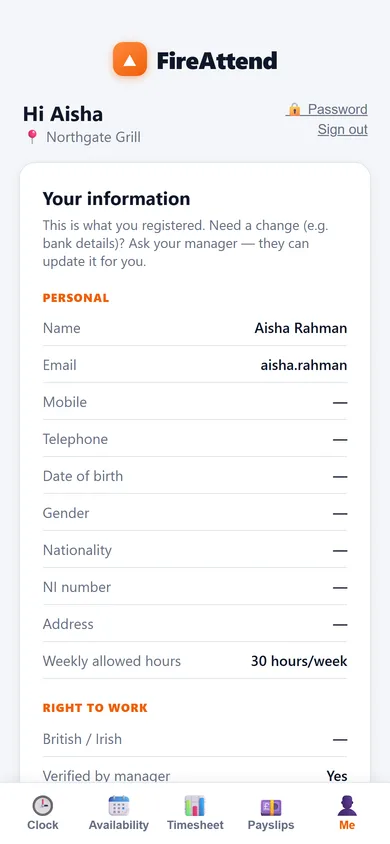
Me
details & documents
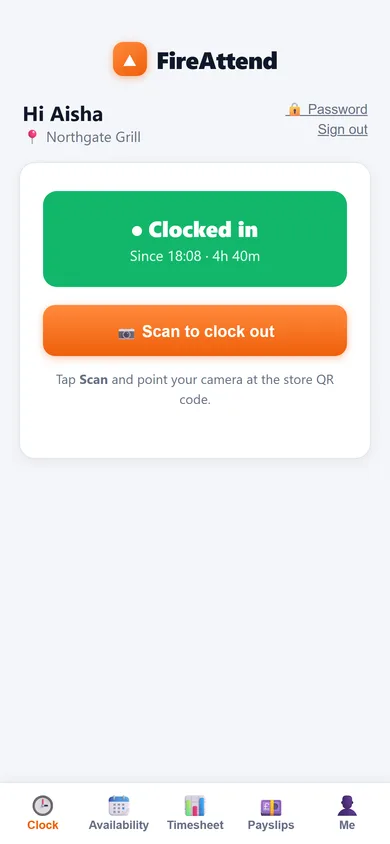
Clock in and out by tapping the shop's tag or scanning its QR. The same action does both. They can see at a glance whether they're currently clocked in — the screen refreshes when the app is reopened, so nobody goes home thinking they clocked out when they didn't.
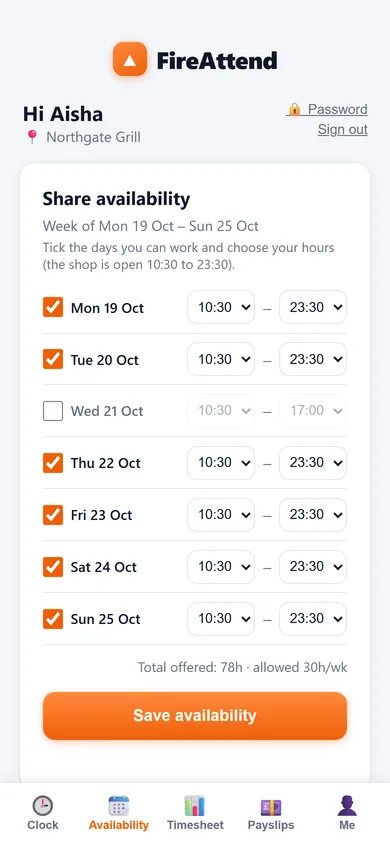
They tell you when they can work, per day, and that's what Auto-build places them from. Saying "I can't work at all" has to be said explicitly — a blank form is treated as a mistake, not as seven days off.
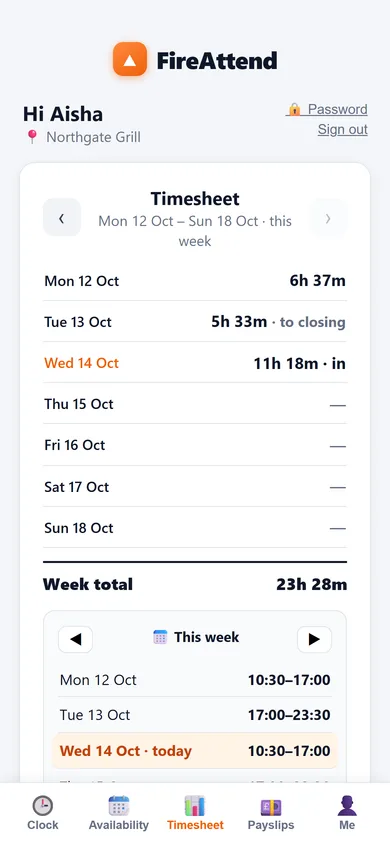
Their own hours and their own rota — what they're down for, and what they actually clocked. No one else's.
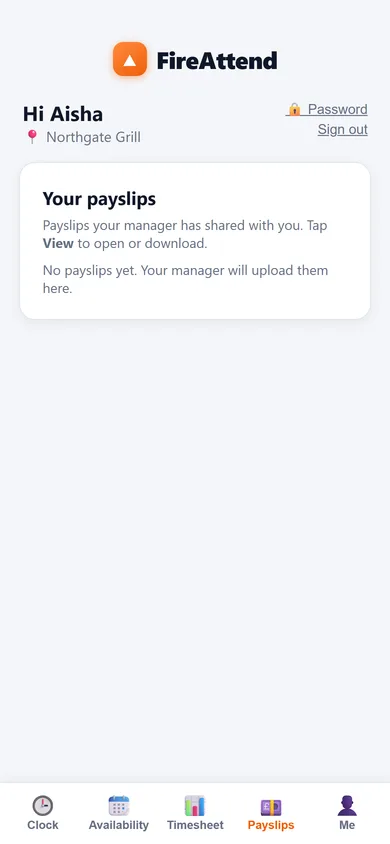
Every payslip you've issued them, in the app, theirs to keep and re-download. No more "can you print me last month's".
Personal details, right-to-work, emergency contact and bank details in one place. They can view; only you can change. If their bank account changes they ask you, which is exactly the control you want over where wages are sent.
They upload a photo or PDF with a title — a food hygiene certificate, a new share code — and you're emailed straight away. It's listed for them too, so both sides can see what was sent and when.
Private by default. A member of staff sees their own hours, their own pay and their own documents — never a colleague's. Managers see their own shops. You can narrow a team lead further: let them build the rota without ever seeing wages, passports or right-to-work checks.
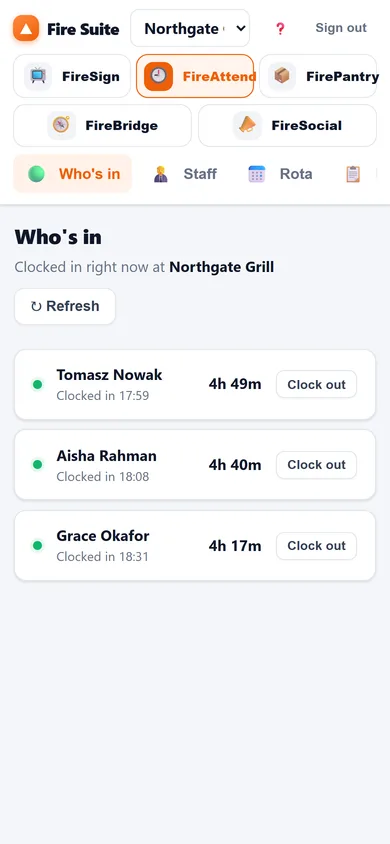
You don't need to be at the laptop to see who turned up. The whole dashboard reflows to a phone — handy at 6pm when somebody hasn't arrived and you're not in the shop.
Clock somebody out from here if they've forgotten, and the record says which time was used.
Who's in, right now
New starters get a one-time link and fill in their own details, right-to-work and bank information. You review it. You can send it back with a reason if something's wrong — and a sent-back registration stays distinguishable from one never sent.
If somebody resubmits their details, the right-to-work verification resets. A legal check never carries over from an older version of the record.
Share codes and certificates have dates. You get told before they lapse, per shop, rather than finding out during an inspection.
Sixty days is long enough to roster a month, clock it, freeze the weeks and issue the payslips. If it hasn't saved you the Sunday night by then, it never will.
See pricing & start How we keep it safe